Introduction
The inventory management system that works for a business today may not be the one it needs tomorrow. As operations grow, businesses often require greater inventory tracking, accuracy, and control to keep pace with demand.
Understanding the different types of inventory management systems is not just about learning how stock is tracked. It is about choosing an approach that fits your current needs while supporting future growth. To help businesses make an informed choice, this guide examines each type of inventory management system and its practical applications.
What Is Inventory?
Inventory refers to all the goods, materials, and products a business holds at any given time. This includes raw materials waiting to be processed, items moving through production, or finished goods that are ready to be sold. For most businesses, inventory is one of their largest assets and one of their most expensive to mismanage.
What Is Inventory Management?
Too much inventory drains cash, while too little inventory loses sales. Inventory management is the discipline of finding the sweet spot between the two. It involves monitoring stock levels, planning replenishment, tracking product movement, and ensuring goods are available when customers need them.
When done well, inventory management improves profitability, reduces waste, and keeps supply chains running smoothly.
What is an Inventory Management System?
An inventory management system (IMS) is the software, process, or combination of both that a business uses to monitor and control its inventory. It sits at the centre of supply chain operations, connecting purchasing, warehousing, sales, and fulfilment into a single trackable workflow.
A typical IMS records and manages:
- Product identifiers and SKUs, so every item in stock has a unique, searchable identity
- Inventory quantities, tracking stock levels in real time or at set intervals across one or multiple locations
- Supplier details, including contact information, lead times, and order history
- Purchase orders, from creation through approval, dispatch, and receipt
- Warehouse locations, mapping exactly where each item is stored for faster picking and accuracy
For a deeper look at how these systems are structured and how they function day-to-day, visit our comprehensive guide: What Is an Inventory Management System & How Does It Work?
6 Key Benefits of an Inventory Management System
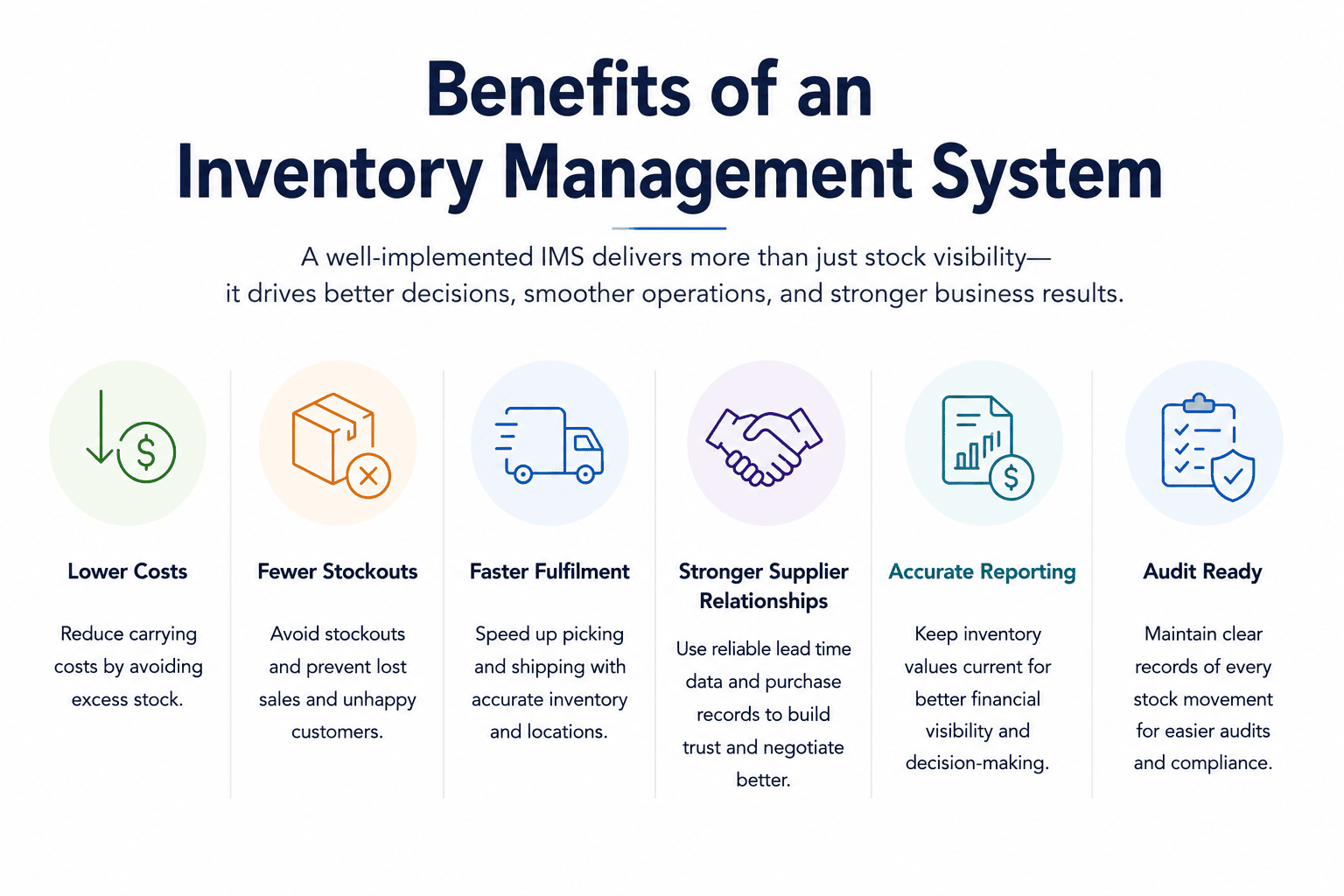
Businesses that implement a proper inventory management system (IMS) often see improvements that extend well beyond stock tracking. Understanding these broader business impacts helps explain why inventory management is important in businesses:
- Reduced carrying costs from holding less excess stock
- Fewer out of stocks inventory, which means fewer lost sales and unhappy customers
- Faster order fulfilment, especially when warehouse locations are accurately mapped
- Better supplier relationships, supported by consistent purchase order records and reliable lead time data
- More accurate financial reporting, since inventory values stay current rather than being estimated
- Stronger audit readiness, with clear documentation of every stock movement
For growing businesses managing multiple locations, product lines, or sales channels, these gains compound quickly.
How Does an Inventory Management System Work?
An inventory management system (IMS) tracks inventory throughout its lifecycle, recording every stock movement and updating inventory records as products move through the business. While specific features vary by system type, the process typically follows these steps:
- Goods are received: Incoming inventory is logged against a purchase order, updating stock records and confirming what has arrived from suppliers.
- Inventory is stored and tracked: Products are assigned to warehouse locations and monitored as they move between storage areas, facilities, or departments.
- Orders are processed: When items are picked, packed, and shipped to customers, inventory levels are automatically adjusted to reflect the sale.
- Stock levels are monitored: The system continuously tracks inventory quantities, helping businesses identify fast-moving products, slow-moving stock, and potential shortages.
- Reorders are triggered: When inventory falls below predefined thresholds, the system can generate alerts or automatically create purchase orders to replenish stock.
- Data is shared across the business: Inventory information flows between procurement, warehousing, sales, and finance teams, providing a current view of what is in stock, what is moving, and what requires attention.
Different Types of Inventory Tracking Systems
Inventory tracking systems form the foundation of inventory management. They determine how stock is recorded, monitored, and updated throughout the supply chain. The system you choose affects inventory accuracy, reorder timing, operational efficiency, and the effectiveness of your inventory control methods.
1. Periodic Inventory System
A periodic inventory system tracks stock through physical counts performed at set intervals, such as monthly, quarterly, or annually. Inventory records are updated only after each count, meaning businesses have limited tracking between each count.
Best Suited For
- Small businesses
- Low SKU counts
- Low transaction volumes
- Operations that do not require real-time inventory tracking
Advantages
- Low implementation cost
- Simple to operate
- No specialised software required
Limitations
- No real-time inventory tracking
- Errors may go unnoticed until the next stock count
- Reordering decisions rely on estimates rather than current stock data
2. Perpetual Inventory System

A perpetual inventory system updates stock records automatically whenever inventory moves. Sales, returns, receipts, and transfers are recorded in real time, providing an always-current view of inventory levels.
Best Suited For
- Retail businesses
- E-commerce operations
- Multi-location businesses
- High-volume inventory environments
Advantages
- Real-time stock tracking
- More accurate inventory records
- Faster response to stock shortages
- Better forecasting and purchasing decisions
Limitations
- Requires software integration
- Higher implementation costs than periodic systems
- Relies on accurate transaction recording
3. Barcode Inventory System

Barcode inventory systems use printed labels and scanners to record stock movements. Each scan updates inventory records instantly, reducing manual data entry and improving accuracy.
Best Suited For
- Retail stores
- Warehouses
- Distribution centres
- Businesses transitioning from manual inventory tracking
Advantages
- Cost-effective technology
- Improves inventory accuracy
- Easy to implement
- Widely supported by inventory software
Limitations
- Requires direct line-of-sight scanning
- Items must be scanned individually
- Less efficient in very high-volume environments
4. RFID Inventory System
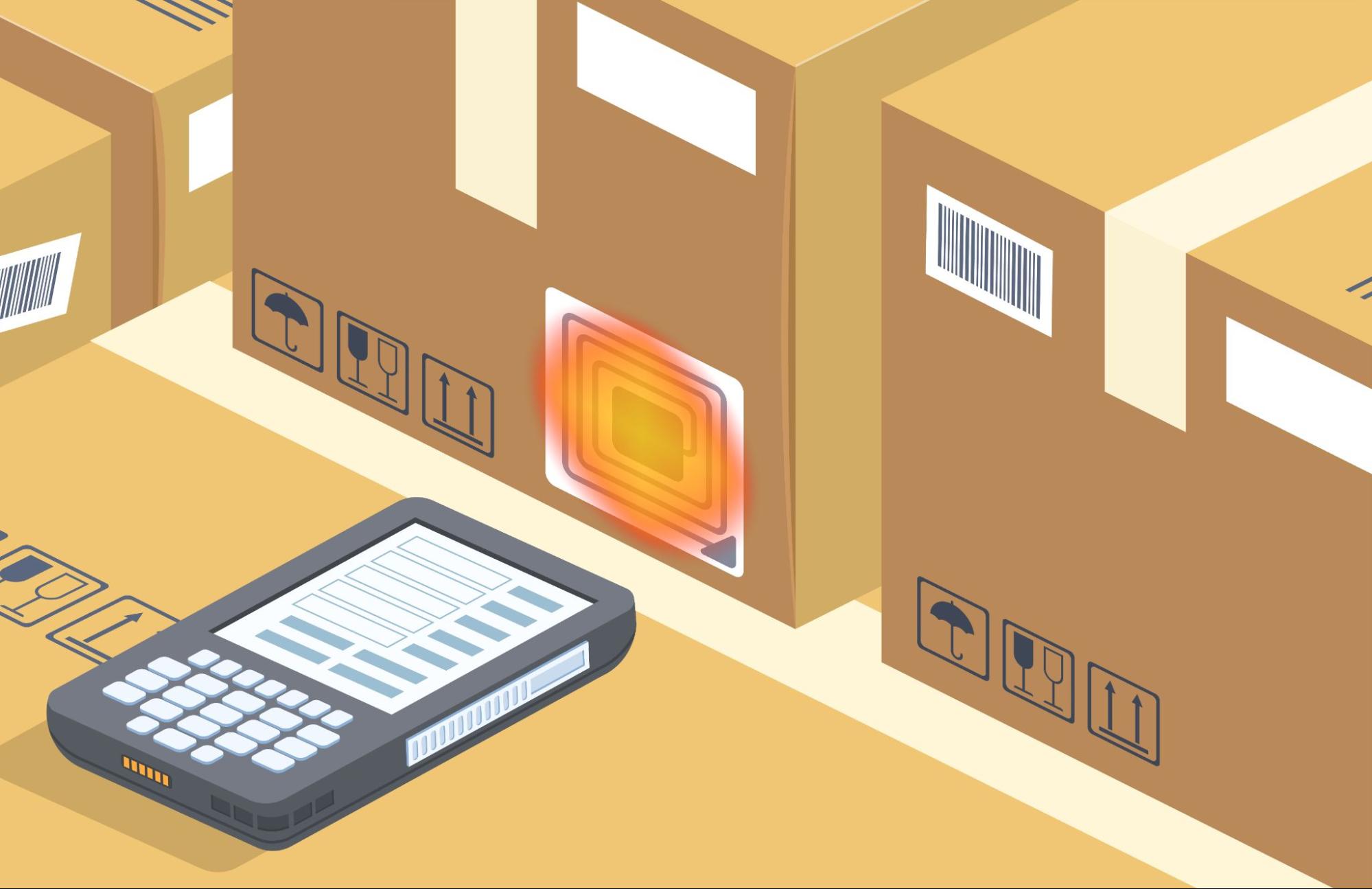
Radio Frequency Identification (RFID) systems use electronic tags that communicate wirelessly with readers. Unlike barcodes, RFID tags can be scanned without a direct line of sight, allowing multiple items to be tracked simultaneously.
Types of RFID
- Active RFID: Tags have their own power source and continuously broadcast their location. Used in high-value asset tracking and large warehouse environments.
- Passive RFID: Tags are powered by the reader’s signal and only transmit when in range. More common in retail and logistics due to lower cost.
Best Suited For
- High-volume warehouses
- Asset-intensive operations
- Rental inventory businesses
- Large-scale distribution centres
Advantages
- Fast bulk scanning
- No line-of-sight requirement
- Higher inventory accuracy
- Reduced manual handling
Limitations
- Higher hardware costs
- More complex implementation
- RFID tags are more expensive than barcode labels
- Cloud-Based Inventory Systems
5. Cloud-Based Inventory Systems

Cloud-based inventory systems store inventory data on remote servers and are accessed through a web browser or mobile application. Updates are synchronised in real time across users, locations, and devices.
Best Suited For
- Multi-location businesses
- E-commerce retailers
- Growing businesses
- Remote or distributed teams
Advantages
- Real-time access from anywhere
- Easy scalability
- Automatic software updates
- Simplified integration with other business systems
Limitations
- Ongoing subscription costs
- Dependence on internet connectivity
- Less direct control over infrastructure
6. On-Premise Inventory Systems
On-premise inventory systems are installed on a company’s own servers and managed internally. The business retains full ownership and control of its data and infrastructure.
Best Suited For
- Large enterprises
- Manufacturing organisations
- Regulated industries
- Businesses requiring extensive customisation
Advantages
- Full data ownership
- Greater customisation options
- Enhanced control over security and compliance
- Not dependent on vendor-hosted infrastructure
Limitations
- Higher upfront investment
- Internal maintenance responsibilities
- Requires dedicated IT resources
- Scaling can be more complex than cloud-based systems
6 Tips on Choosing the Right Inventory Management System

There is no single correct answer here. The right system depends on several practical factors.
1. Business size and volume
A small retailer with a few hundred SKUs has different needs from a manufacturer running dozens of product lines across multiple warehouses. Larger operations generally justify more sophisticated, automated systems.
2. Industry and product type
Perishable goods require FIFO and possibly JIT. Manufacturing requires MRP. Rental businesses need dedicated rental tracking. Industry-specific needs should shape the system selection, not the other way around.
3. Operational complexity
Businesses with multiple locations, sales channels, or fulfilment models need systems that can handle that complexity. This means that cloud-based perpetual IMS with strong integration capabilities is used.
4. Existing systems and integrations
An IMS does not operate in isolation. It needs to work with your accounting software, ERP, e-commerce platform, and any third-party logistics providers. Compatibility matters more than any individual feature.
5. Ease of use and adoption
A system your team does not use consistently is worse than a simpler one they do. This is proven with one research study on inventory software that shows that intuitive interfaces and straightforward workflows are among the features users value most.
Conclusion
There is no universally best inventory management system, only the system that best aligns with the way a business operates. The goal is not to find the most advanced solution, but the one that provides the right balance of tracking, control, and scalability.
As inventory requirements become more complex, off-the-shelf solutions may not always provide the flexibility or integrations a business needs. If you’re looking for a more tailored approach, partner with us at Zoomo Tech, a custom application development company that builds inventory management software around your unique operational requirements.
Frequently Asked Questions on The Different Types of Inventory Management Systems
1. What is the difference between a periodic and perpetual inventory system?
A periodic system tracks stock through physical counts at set intervals, with no real-time tracking between them. A perpetual system updates continuously with every transaction, giving businesses a live view of stock at all times. Perpetual systems are more accurate but require integrated software; periodic systems are simpler and lower cost to run.
2. Which type of inventory management system is best for a small business?
It depends on volume and complexity. A small business with limited SKUs and low transaction frequency can manage effectively with a periodic system or a basic cloud-based IMS. As the business grows, moving to a perpetual system typically makes sense.
3. Can a business use more than one inventory management method?
Yes, and most do. A business might run a perpetual inventory system as its core tracking method while also using other inventory control techniques (such as ABC analysis and FIFO) to guide ordering, stock rotation, and replenishment decisions. For a closer look at how these approaches work together within an inventory management system, see our guide on What Is an Inventory Management System & How Does It Work
4. What is the difference between RFID and barcode inventory systems?
Barcodes require a direct line of sight and must be scanned one at a time. RFID tags transmit data wirelessly and can be read in bulk without line of sight. RFID is faster and more hands-off but carries a higher hardware and implementation cost.
5. What is the 80/20 rule in inventory management?
The 80/20 rule, derived from the Pareto principle, suggests that roughly 80% of a business’s revenue comes from 20% of its products. In inventory terms, this means a small proportion of SKUs typically drives the majority of sales value. ABC analysis is the formal application of this principle, identifying which items deserve the closest attention and tightest controls.
6. How does demand forecasting reduce inventory costs?
Accurate demand forecasting reduces the need for large safety stock buffers by improving confidence in future requirements. When businesses know more precisely what they will need and when, they can order closer to actual demand, reducing the capital tied up in excess inventory and the cost of storing it.
7. What industries use rental inventory management systems?
Equipment rental, construction, event production, audiovisual services, medical device lending, and hospitality are among the main industries that rely on rental inventory management. Any business where assets cycle out and return rather than being sold outright benefits from dedicated rental tracking functionality.