The quotation looks reasonable until you notice items like Cloud Server Cost, domain name, SSL certificate and database licence. Many Malaysian SME owners pause at this point and wonder whether these are genuine business requirements or simply extra charges added by the software vendor. Questions such as “I already have a server,” “Isn’t hosting the same thing?” and “Why do I need SSL?” often appear before the project has even started.
These questions are completely understandable because most business owners do not deal with these technical terms in their daily operations. They sound similar, yet each serves a different purpose and carries its own cost. Instead of explaining them using technical language, this article uses simple everyday examples that most business owners can relate to, making it easier to understand what you are actually paying for and why each component exists.
Cloud Server Cost Is Only One Infrastructure Component
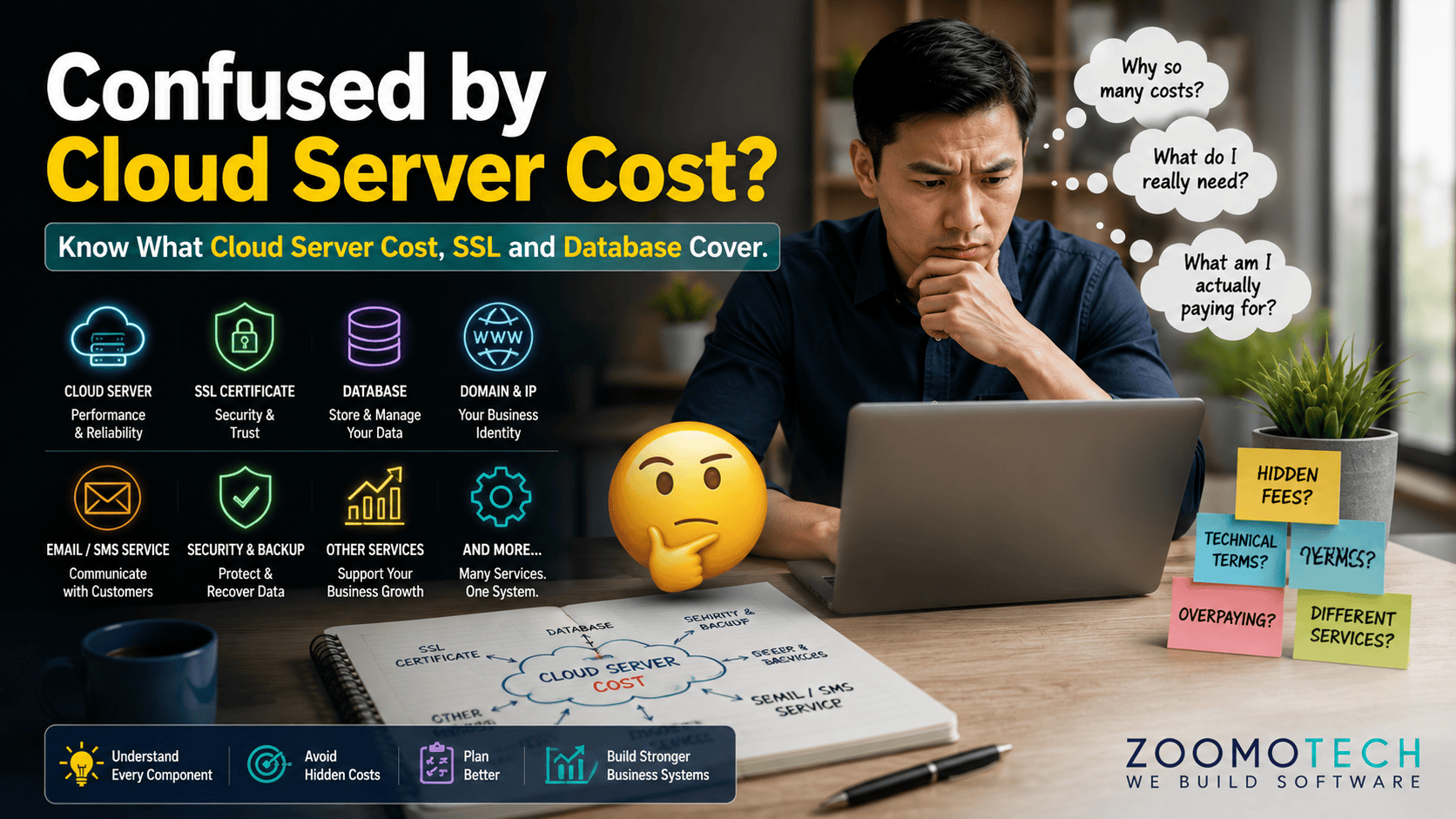
Cloud Server Cost covers the computing environment that runs your business system, but it is only one part of the complete infrastructure needed for daily operations.
- Cloud Server
- Domain Name
- Database
- SSL Certificate
- Cloud Storage
- Security Services
Software Infrastructure Cost Covers More Than One Service
Many business owners become confused not because the quotation is unclear, but because a modern business system depends on several independent services working together. Software is only one component. The supporting infrastructure may come from different service providers, follow different billing models and renew on different schedules, making similar technical terms easy to mistake for the same service.
Most software quotations focus on technical accuracy, so they often assume customers already understand these components. That expectation creates unnecessary misunderstanding during procurement. Understanding what each service actually does makes it much easier to compare quotations fairly, ask more informed questions and make confident investment decisions. Let’s first look at how these services work together before discussing each component individually.
One Business System Depends on Several Different Services
Imagine a quotation that lists software development, cloud server, domain name, database, SSL certificate and backup. Many owners immediately focus on the total price without knowing why every item is there. Software Infrastructure Cost is not a single product but a collection of services that keep one business system operating. Think of it like owning a condominium. You pay separately for the unit, maintenance, security and utilities because each has a different responsibility. Paying for one service does not automatically include the others, which is why every line item deserves its own explanation.
That is also why comparing quotations by looking only at the total amount can be misleading. Before deciding whether a quotation offers good value, it is worth understanding what every component actually contributes to your daily operations, especially the long-term costs of owning custom software.
Server, Hosting and Cloud Server Are Not the Same
Many people use the words server, hosting and cloud server interchangeably, but they describe different ways of running a system. An on-premise server is like owning a house because your business purchases and maintains everything yourself. A cloud server is more like renting a serviced condo where the building infrastructure is managed for you, while your business still controls the space you use.
Shared hosting is closer to booking a hotel room because the building is shared with many other guests, making it suitable mainly for websites. A dedicated hosting server offers more control but still differs from cloud services. Choosing the right option depends on your business requirements, expected users and future growth rather than price alone.
Domain, IP Address and Database Each Have Different Jobs
A simple way to understand these services is to compare them with a physical office. Your domain name works like the business address that customers remember, while the IP address is the actual GPS location with latitude and longitude where the system operates. Although they work together, they perform completely different roles and neither can replace the other.
The database acts like a filing cabinet that stores organised business records such as customers, invoices and inventory. Cloud storage is more like a warehouse for larger files including documents, photos and videos. One stores structured information, while the other stores files. Most business systems need both because business data and business documents serve different purposes.
Security Services Protect Your Business Behind the Scenes
Many security services are almost invisible when everything works properly. An SSL certificate protects information travelling between users and the system. A firewall filters unwanted traffic before it reaches your application. Backup creates recoverable copies of important data, while monitoring watches for unusual activities that may require attention.
For businesses using cloud infrastructure, these measures form an important part of maintaining a secure environment. Cloud security solutions can help businesses monitor, protect and manage their cloud-based systems as part of their broader security strategy.
Think of these services like the locks, CCTV cameras and insurance protecting an office building. Each serves a different purpose, and removing one creates unnecessary risk. Security is an ongoing responsibility, not a one-time setup. It requires continuous attention because business systems operate every day, not only during office hours. It also clearly stated in CyberSecurity Malaysia’s general information security best practices why a continuous security measures are important for protecting digital systems.
Automated Communication Services Usually Charge Per Usage
When a business system sends emails, SMS messages, WhatsApp notifications or payment confirmations automatically, it usually relies on specialised providers instead of personal accounts. That is why many communication services charge based on actual usage. Similar to paying for electricity or water, the more messages your system sends, the higher the usage cost becomes. This charging method forms part of the overall Software Infrastructure Cost.
While personal messaging applications are designed for individual conversations, the business systems are designed to communicate automatically with customers at scale. Understanding this difference helps explain why these services appear separately in software quotations and why the charges usually increase only when your business activity grows.
Confusing Technical Costs Often Leads to Poor Buying Decisions
When business owners compare software quotations based mainly on the total price, important differences can easily be overlooked. One proposal may include a complete operating environment, while another may exclude important services that only become obvious after the system goes live. Those missing components often become additional Variation Orders (VO) or Change Request (CR), unexpected operating costs or implementation delays after the system goes live.
From a management perspective, the real risk is not paying slightly more today but making decisions based on incomplete comparisons. A business system should be evaluated based on long-term ownership cost, operational reliability and future business needs, not simply the lowest quotation. This is especially important when comparing Custom Software Cost in Malaysia because quotations often include different scopes and infrastructure components. That shift in thinking makes it much easier to evaluate software investments with confidence.
Understanding Every Component Creates Better Investment Decisions
Good software decisions begin with clarity. Separate software development from infrastructure and distinguish one-time investment from recurring operating costs. This also helps business owners decide whether owning custom software or paying monthly subscriptions is more suitable for their business. Always ask when a quotation includes unfamiliar services. Understanding before comparing proposals supports a phased approach, improves risk control and leads to more confident long-term business decisions.
Better Understanding Builds Stronger Long-Term Business Systems
Every technical service supports a different part of your business system, and no single component can replace the others. Cloud Server Cost is only one piece of the overall infrastructure that keeps daily operations running reliably. Understanding these responsibilities before approving a project helps reduce future surprises, improves business continuity and makes software investments easier to evaluate with confidence. A short conversation before project approval is often easier than resolving misunderstandings after implementation.
Still comparing quotations? If you would like an independent opinion before making a decision, feel free to reach out through WhatsApp or Email. Even if you simply want clarification on unfamiliar technical terms, I’m always happy to share my thoughts and answer your questions without any obligation or commitment.
—
Ning
Founder, Zoomo Tech
Quick Reference: Common Technical Terms Found in Software Quotations
| Technical Term | Explanation | Think of it as… |
| Cloud Server | A powerful computer on the Internet that runs your business system 24 hours a day without sitting in your office. | Renting a serviced condominium. The building is maintained by others for you, but you control everything inside your own unit. |
| Physical Server (On-Premise) | A computer purchased and installed inside your own office. Your company is responsible for maintaining it. | Owning your own house. You pay for the house, repairs, maintenance and security yourself. |
| Shared Hosting | A low-cost service where many customers share the same cloud server, mainly suitable for websites. | Staying in a hotel room. You share the building with many other guests and have very little control. |
| Dedicated Server | A rented server used only by your company without sharing with other businesses. | Renting an entire bungalow. You don’t own it, but nobody else shares it with you. |
| vCPU | The processing power allocated to your Cloud Server for handling calculations and running applications. | The number of workers in your office. More workers can handle more tasks at the same time. |
| CPU Core | The physical processing unit inside a computer that performs calculations and executes instructions. | An individual employee. Each employee can work on assigned tasks simultaneously. |
| RAM (Memory) | Temporary working space used while your software is running. More RAM helps the system handle more users and larger workloads smoothly. | Your office desk. A larger desk gives you more room to spread out documents and work efficiently. |
| Hard Disk / SSD Storage | Permanent storage that keeps your software, database, documents and images even after the server is switched off. | A filing room or storeroom. The bigger the room, the more files and boxes you can keep. |
| Operating System (OS) | The core software that manages the server and allows your business applications to run. | The building manager. It coordinates everything happening inside the building. |
| Windows Server | Microsoft’s server operating system, commonly used to host business applications. | The building management company. It keeps the office building operating properly behind the scenes. |
| Domain Name (.com / .com.my) | The easy-to-remember web address people use to access your business system. | Your office address. People remember the address instead of GPS coordinates. |
| IP Address | The unique numerical address of your server on the Internet. | The GPS latitude and longitude of your office. Computers use these coordinates to find your server. |
| DNS (Domain Name System) | The service that converts your domain name into the correct server location. | Google Maps. You enter an address, and it guides you to the correct GPS coordinates destination. |
| Database | Stores organised business information such as customers, invoices, inventory and sales records. | A filing cabinet in your office. Every business record is neatly organised for easy retrieval. |
| Database Licence | The legal permission to use commercial database software such as Microsoft SQL Server Standard Edition. | A business operating licence. You need permission before using certain commercial software. |
| Cloud Storage | Stores documents, photos, videos, PDFs and other files separately from your database. | A warehouse. It stores larger items that don’t belong inside the filing cabinet in your office. |
| SSL Certificate | Encrypts information travelling between user’s computer (or mobile phone) and your business system to keep it private. | A sealed envelope. Only the sender and recipient can read what’s inside. |
| Firewall | Filters suspicious Internet traffic before it reaches your business system. | A security guard. Every visitor is checked before entering your office. |
| Monitoring | Continuously checks whether your server and business system are operating normally. | A CCTV control room. Someone is always watching for problems, even after office hours. |
| Bandwidth | The amount of Internet traffic your system can handle at one time. | The width of a highway. Wider roads allow more vehicles to travel smoothly at the same time. |
| Storage Capacity | The amount of space available to store your business data and files. | The size of your warehouse. A bigger warehouse can hold more inventory. |
| Email Gateway / API | Allows your business system to send email automatically. | An automated email postman. Email is delivered without anyone manually pressing “Send”. |
| SMS Gateway / API | Allows your business system to send SMS messages automatically. | An automated SMS postman. Messages are delivered without anyone manually pressing “Send”. |
| WhatsApp Gateway / API | Allows your software to send WhatsApp notifications automatically based on business events. | An automated WhatsApp postman. Messages are delivered to WhatsApp without anyone manually pressing “Send”. |
| API (Application Programming Interface) | Allows different software systems to exchange information automatically. | A bridge between two office buildings. Information can travel safely between both sides. |