You have already paid for the custom system. The development fee felt like a clear investment because you could see what was being built and what the company would receive. Then the system goes live, operations settle down, and another charge appears every month. That is where Software Maintenance Service can feel difficult to justify. If nothing seems broken, what exactly is the company paying for? For an SME owner used to Excel, WhatsApp and manual processes, another monthly software charge can look like an extra recurring cost.
It can feel even more difficult if your company is already familiar with subscription-based software. You pay every month, use the system, and expect the provider to take care of it. A custom system feels different because you have already paid for its development. Yet after deployment, the system still depends on servers, databases, storage, security updates, backups and monitoring. They still need attention even when nobody is thinking about them. The more useful question is what that monthly fee actually covers.
What Software Maintenance Service Actually Covers
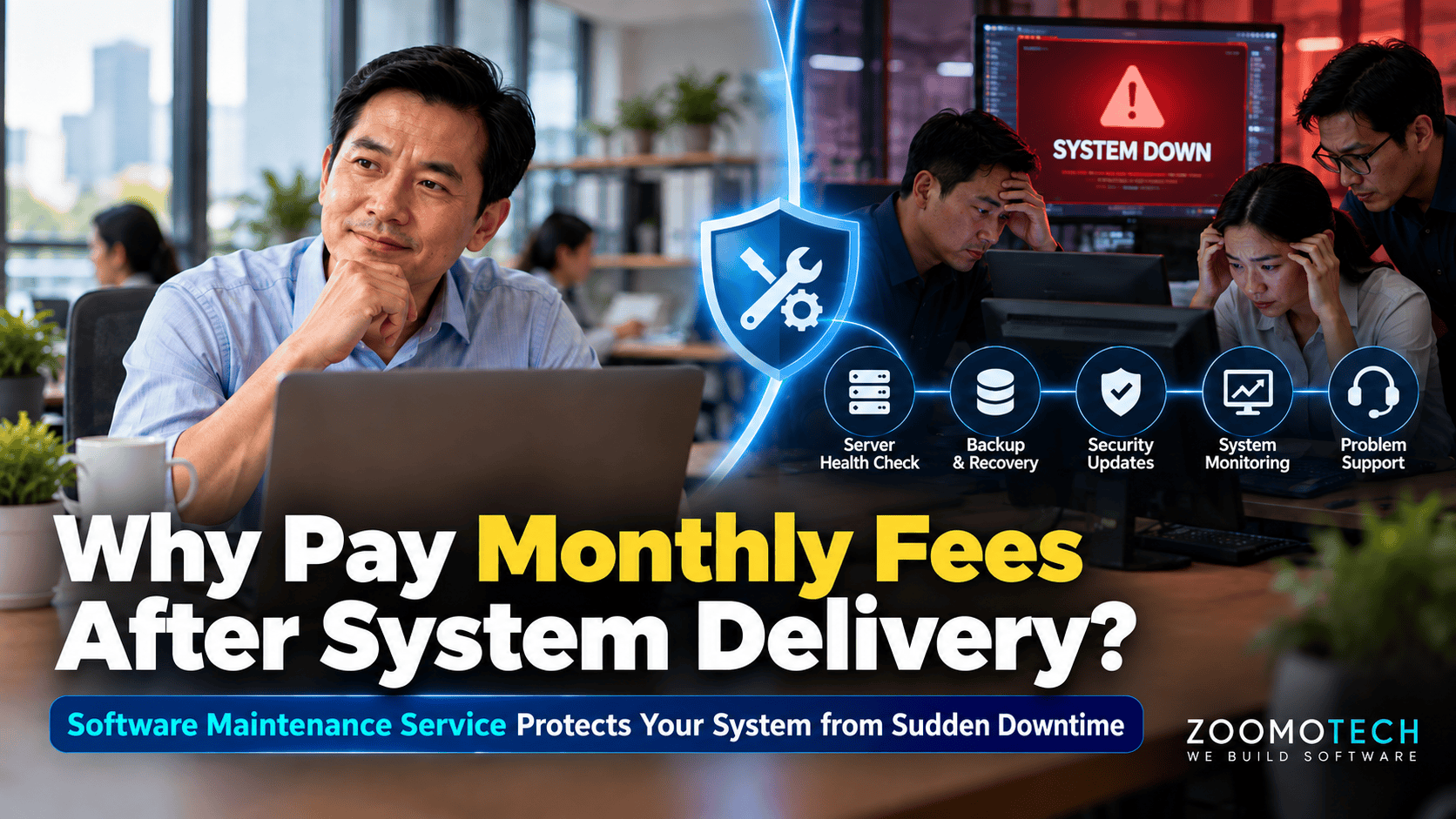
A Software Maintenance Service is the ongoing work that keeps a custom business system reliable, protected and recoverable after the system successfully go-live.
- Covers the application, database, server and operating environment
- Includes preventive checks to reduce avoidable system failures
- Includes corrective support when faults or system failures occur
- Provides ongoing monitoring, backup, security and recovery support
- Is separate from new features, workflow changes or enhancements
- Remains necessary because the system and its operating environment continue running after go-live
When does an SME Need Monthly Software Maintenance?
Monthly maintenance becomes more important when:
- The business depends on the system for daily operations.
- Staff cannot work normally when the system is down or offline.
- Orders, production records or customer information are stored in the system.
- The system has important integrations, databases or stored business files.
- The company has limited internal technical resources to monitor and recover the system.
The key question is not whether the system is custom-made. It is how much the business depends on it.
A Custom System Depends on More Than Code
Once a custom system is successfully implemented, the software is only one part of the system. The application runs on a server, uses a database, stores files in hard disk, and depends on network access. These components keep running, when more users use the system, more transactions are recorded, and more data is stored. Over time, the server may run out of storage space or become slower as the amount of data and system usage grows. It does not mean the system was built wrongly. It simply means the business system continues to operate in a continuously changing environment.
The same applies to the operating system and security components supporting the system. They require updates and regular checks, while network or server infrastructure can fail independently from the application itself. A working application does not mean the whole environment is protected. This is why ongoing attention remains necessary after system go-live. The practical question is what needs to be checked before a small infrastructure issue becomes a business interruption problem.
Server Health Declines Without Regular Attention
A server can develop small problems without stopping the system immediately. A scheduled task may stop running, a service may fail to restart, or error logs may show repeated problems. These issues may not affect staff straight away, but they can become more serious when nobody checks them. Regular server maintenance is therefore not only about fixing a server after it fails. It is about checking its condition and dealing with warning signs before they affect daily work.
Not every server warning will lead to an outage. Warning signs can be missed until they affect normal work. A manufacturing company may find production staff waiting for a system to respond. An agency may discover that staff cannot retrieve customer records during a busy period. Regular checks give the team a chance to spot capacity or infrastructure issues before they interrupt normal work.
Backups Need Testing, Not Just Scheduled Storage
A backup is often treated as a simple tick in a maintenance checklist. The system creates a copy of the database, the job reports success, and everyone moves on. But a successful backup does not prove the business can recover from a failure. The backup copy may be incomplete, outdated or difficult to restore when it is actually needed. A database backup protects business data. A full server backup can help restore the wider environment. Both of this need restoration testing.
Backup frequency should also reflect how quickly business data changes. A factory processing orders and production records throughout the day may need tighter recovery points than an internal reference system. Restoration testing gives the business evidence that the backup can be used. This is part of controlling IT Downtime Cost because recovery depends on what data is available when something goes wrong.
Security Updates Close Gaps Before They Become Incidents
Security maintenance can be overlooked because it usually does not change what staff see on screen. Operating systems receive security updates, antivirus protection needs current updates, and older components can introduce weaknesses over time. A custom system can work properly for years while the environment around it changes. Keeping that environment updated is part of keeping the system secure and dependable.
This does not mean every update should be installed immediately. Updates should be reviewed and applied in a controlled manner, especially when the system supports important business processes. Security maintenance is also different from adding a new feature. Security updates do not wait for a new feature request. The work exists because the system remains connected to a changing technical environment after implemented.
Software Monitoring Finds Problems Before Staff Complain
A system can be down without anyone in the company knowing immediately. Staff may only discover the problem when they try to log in, process an order or retrieve information. By then, the interruption has already started. Continuous monitoring helps detect system problems earlier, while alerts can tell the responsible team that attention is needed. This is especially useful when a business system supports operations outside normal office hours.
Continuous system monitoring does not guarantee that a system will never fail. Its value is that it reduces the time between a problem occurring and someone becoming aware of it. A Software Maintenance Service can include 24/7 monitoring and alerting, so the support team can identify issues before users report them. For a critical production or customer-facing system, earlier detection means the problem can be checked and addressed sooner.
System Recovery Changes the Cost of Failure
Even with regular checks, backups and monitoring, some failures will still happen. Hardware can fail, a software component can behave unexpectedly, or a security incident can affect the server. When that happens, maintenance shifts from prevention to recovery. The first step is to find out what failed and why, rather than simply restarting the system and hoping it works.
Recovery may involve restoring the latest usable backup or rebuilding the environment on another server if the original is compromised. A new server may also require stronger security controls before the system is brought back into operation. Recovery should also preserve trustworthy and reliable business information that the company depends on. The aim is not to promise zero downtime. It is to have an agreed response when failure occurs. That response becomes especially important when IT Downtime Cost can rise with every hour the business cannot operate normally.
IT Downtime Cost Starts Long Before Revenue Stops
IT Downtime Cost is not limited to lost sales. When a business system stops, staff may be unable to check orders, update production records or retrieve customer information. They may also be unable to complete routine approvals. Work may continue through WhatsApp, paper or temporary spreadsheets. That creates another problem because someone must rebuild the information later. Management may also lose access to the information they normally use, making it harder to see what is happening while the system is unavailable.
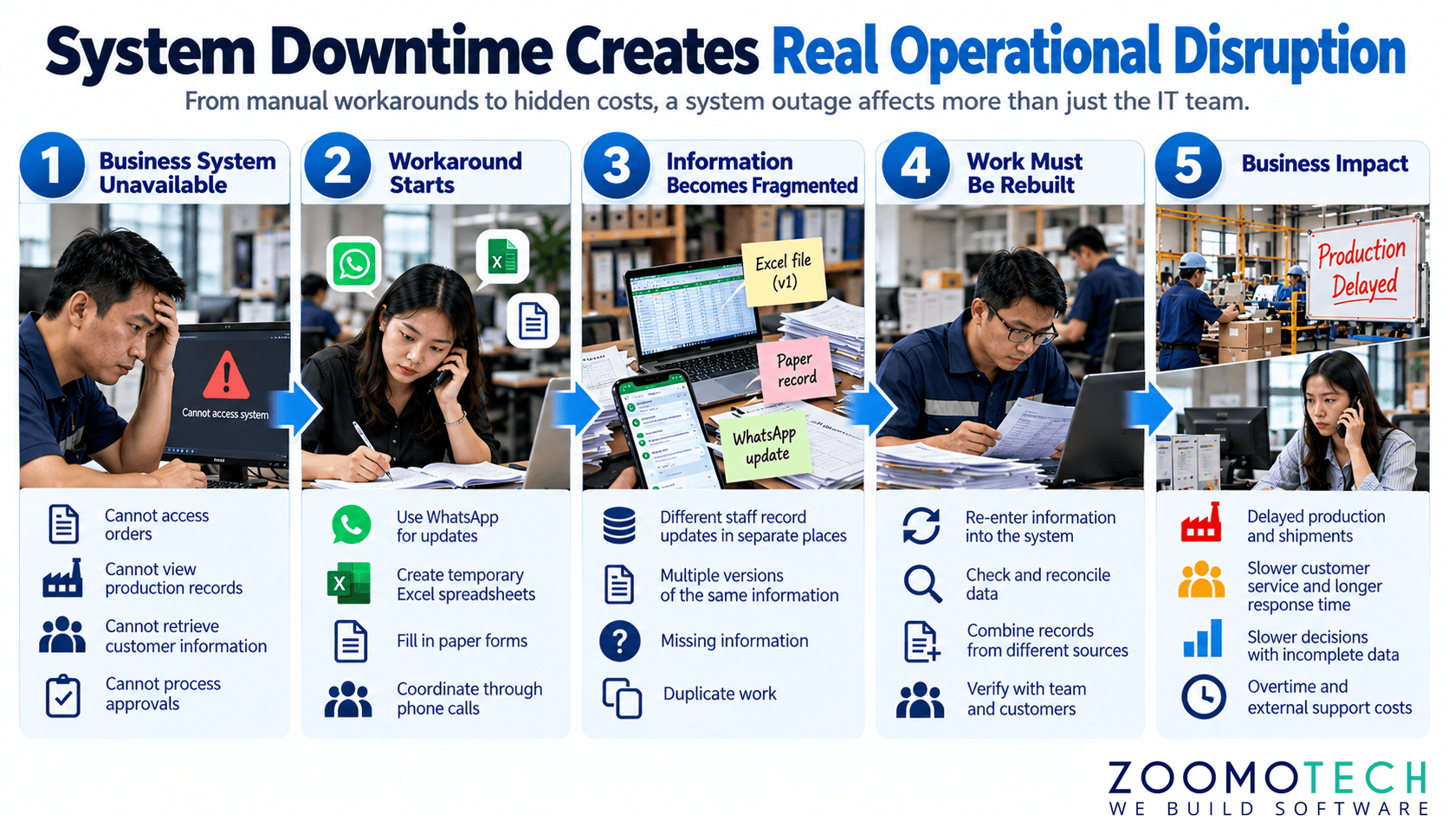
For a manufacturing company, a system interruption may delay production updates or order processing. For an agency, staff may struggle to service customers when records cannot be accessed. Recovery can also involve overtime, data checking and external support. The cost therefore extends beyond the hours when the system is down. It includes interrupted work, delayed decisions and the effort required to return to normal.
Maintenance Should Match the Cost of Downtime
The right maintenance approach should match the business condition, not a standard package. A factory that depends heavily on its system may need stronger protection than an internal administrative software. The same principle applies to customer-facing systems where availability and response time matter. The best practice is set the maintenance level according to actual business consequences, not assumptions. The maintenance terms should also state what is covered, who responds, and what falls outside the maintenance agreement.
What Should a Software Maintenance Agreement Clearly State?
| Area | What Should Be Clear |
|---|---|
| System Coverage | Which application, database, server and related environment are covered |
| Preventive Maintenance | What checks are performed and how often they are reviewed |
| Backup and Recovery | Backup scope, backup frequency and whether restoration testing is included |
| Monitoring and Support | What is monitored, support hours and how problems are reported |
| Response and Exclusions | Who responds, expected response arrangement and what work is outside the monthly fee |
Treat Maintenance as Protection, Not Software Enhancement
Maintenance is not an extension of the original development project. It is the ongoing care needed after the system is in use, covering prevention, monitoring and recovery when problems occur. A maintenance agreement cannot promise that a system will never fail. It provides a clear commitment to reduce avoidable failures and respond when incidents happen. For that reason, a Software Maintenance Service SLA should reflect how much the business depends on the system and the cost of a failure.
If you are not sure whether your current system needs ongoing maintenance, a short discussion can help clarify the situation. You can reach me through WhatsApp or email. Share how the system is used and what concerns you have to me. We can then look at where the business would be affected if it stopped. There is no need to prepare a formal briefing session, we can start the discussion with the situation you are facing.
—
Ning
Founder, Zoomo Tech